Maschinen-Handel.eu · Android · iPhone · iPad
Machinery and EASYPURGE on your phone.
Find machinery, offer your machine with photos and documents, and send non-binding EASYPURGE requirements from production.
Version 0.1.25 · Android 7.0+ · ARM64 · APK file, approx. 31 MB
Android: APK for smartphones with a 64-bit ARM processor. iPhone and iPad: open the separate web app in Safari and add it to your Home Screen.
Use the web app on iPhone and iPad
The separate web version runs directly in Safari. Add its own icon to your Home Screen and open it from there. Find machinery, offer a machine with photos and documents, and submit non-binding EASYPURGE requirements.
- Open the web app in Safari on your iPhone or iPad.
- Tap Share, first tapping More if needed, and then Add to Home Screen.
- If offered, enable Open as Web App and tap Add.
An internet connection is required for the current catalogue and submitting enquiries. There is no payment function or binding order. The web app can also be used on Android and computers; the Android APK remains available separately.
Open web app nowReport requirements. Agree orders personally.
Your employees, setters and production managers can send me the EASYPURGE products and quantities they need using the app.
This does not place a binding order. The app has no payment function; purchases and payments cannot be made in the app.
After receiving the non-binding request, I agree any order personally with your purchasing department or with you as the business owner.
Find machinery
Browse the current machinery catalogue and enquire about a suitable machine.
Offer a machine
Enter details, take photos and submit existing documents for a purchase assessment.
Report EASYPURGE requirements
Select the required products and quantities and send me a non-binding request.
How to install the Android app
- Open this page on your Android smartphone and download the APK file.
- Open the downloaded file. If prompted by Android, allow this browser or file app to install from this source.
- Check the app name “Maschinen-Handel.eu” and confirm installation. You can turn off the additional source permission afterwards.
This APK supports updates from versions 0.1.22, 0.1.23 and 0.1.24. If an older installation cannot be updated because of a different signature, please contact me before uninstalling.
Taking photos requires camera permission or access to the images you select. Photos and documents are sent when you submit your enquiry. Privacy information: Privacy policy.
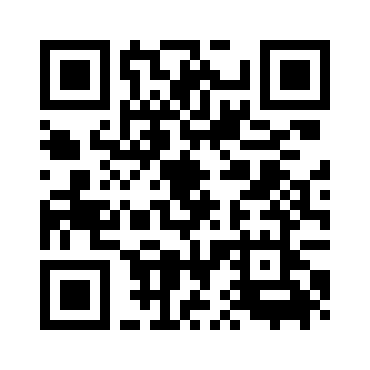
On a computer? Scan this QR code with your Android phone to open this download page.